In my last post, we explored why in silico modeling is revolutionizing drug discovery. Today, let’s answer the most common question from starting researchers: “What hardware, software, and web tools do I actually need to run these workflows?”
You don’t need a supercomputer to start, but having the right stack of tools makes all the difference:
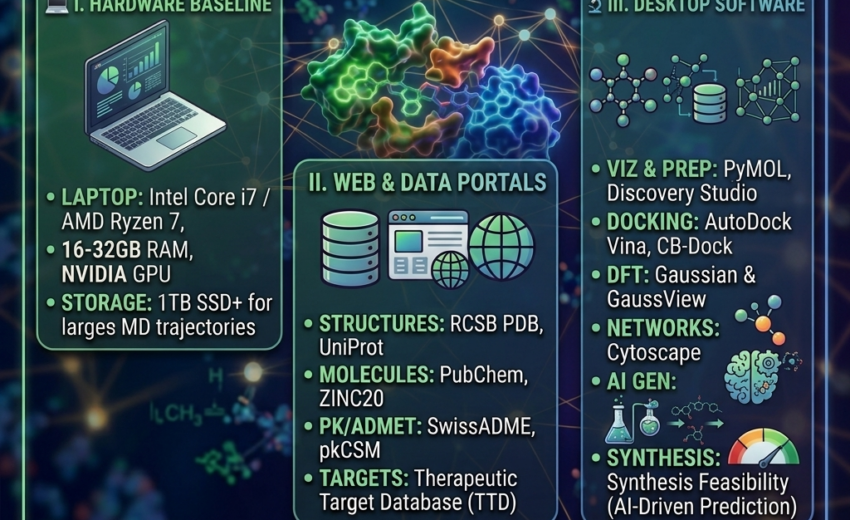
 1. The Hardware Baseline
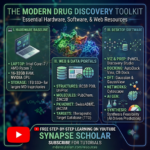
Laptop/PC Setup: Aim for at least an Intel Core i7 / AMD Ryzen 7 processor, 16GB–32GB RAM, and a dedicated NVIDIA GPU (essential for accelerating Molecular Dynamics simulations and high-resolution 3D rendering).
 2. Key Databases & Web Servers
RCSB PDB & UniProt: For sourcing high-resolution 3D protein crystal structures and biological sequences.
PubChem & ZINC20: To download chemical structures and virtual screening libraries.
SwissADME & pkCSM: For quick web-based prediction of drug-likeness, ADMET, and pharmacokinetic properties.
 3. Essential Desktop Software
Visualization & Preparation: PyMOL, BIOVIA Discovery Studio Visualizer, or UCSF ChimeraX.
Molecular Docking: AutoDock Vina, CB-Dock, or Discovery Studio.
Quantum Chemistry (DFT): GaussView / Gaussian for structural optimization, HOMO-LUMO frontier orbital calculations, and electrostatic potential (MEP) mapping.
Network Pharmacology: Cytoscape for visualizing target-disease interactomes and biological pathways.
Learn How to Install & Master These Tools Step-by-Step for FREE!
Setting up these tools and configuring parameters for the first time can feel overwhelming. That’s why I am walking you through each tool hands-on in my upcoming YouTube channel series—completely free of charge!
 Subscribe to my YouTube Channel: https://www.youtube.com/@SynapseScholarbyAnis Explore resources on my Website: https://mdanisulislam.com/
Which tool or web server do you rely on the most in your daily research routine? Drop your favorites below! 


July 8, 2026